Manual

08

Optics

Choose a camera, set focal length, aperture, and focus, and add Moment glass.

Understanding Optics

MPC II starts from the cameras on your phone, then adds digital focal lengths and Moment glass.

Each camera on your phone has a place on the Lens Bar. The camera you select remains the active camera until you choose another - MPC II will not automatically switch optics for you. This helps preserve your choice regardless of shooting conditions - and will allow your camera to utilize any attached Moment Lens reliably.

CamerasLens Bar
Each camera on your phone has its own place on the bar.
Digital focal lengthsOn top of cameras
Apple's Fusion zooms, such as 2× and 8×, are there by default. You can add your own.
Moment lensesGlass
Add EXIF to your images and unlock features like anamorphic desqueeze.
Lens Bar

Choose a camera, then set focal length, focus, zoom, and Moment glass.

Lens bar with cameras, zoom, and Moment glass

Focal Lengths

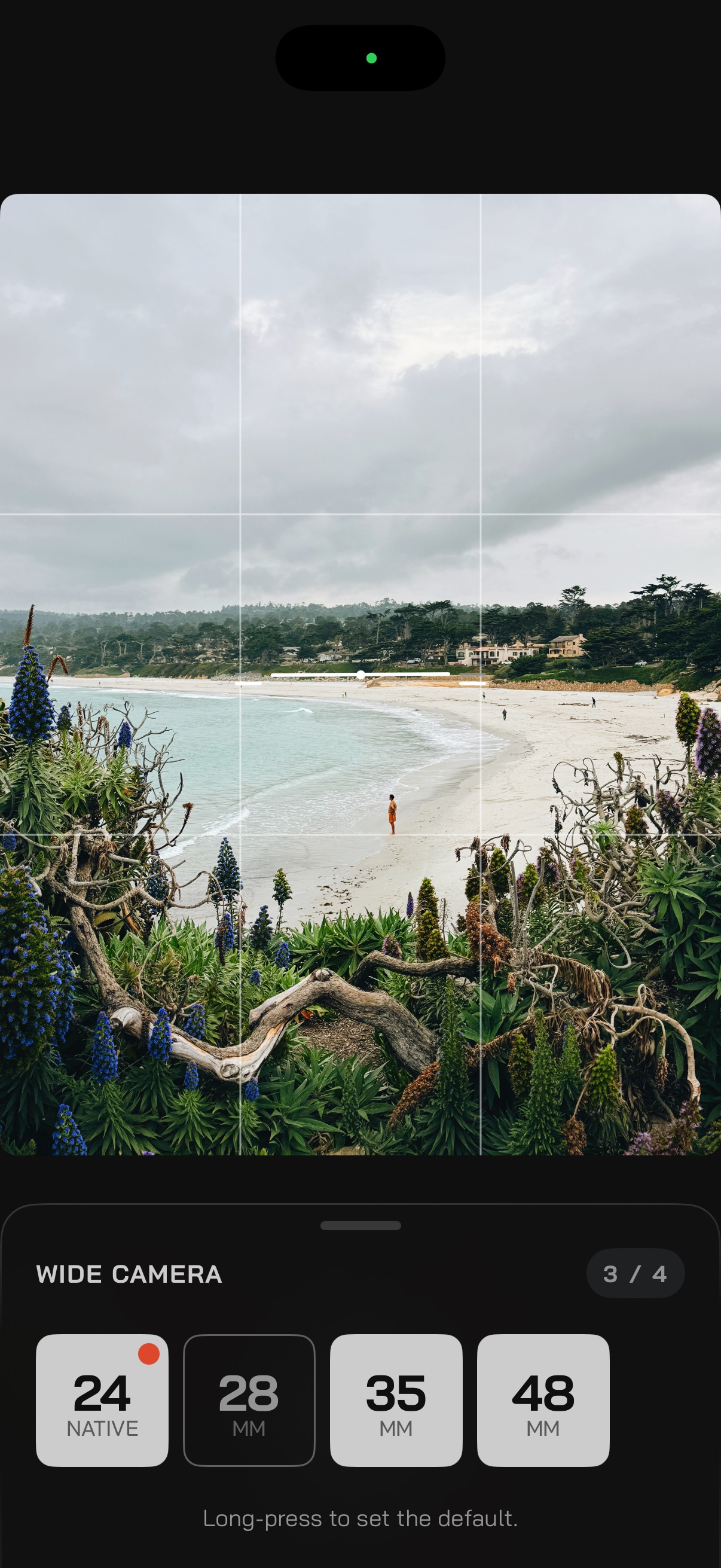
Each camera shows segments for the focal lengths it can use. Pick up to four and set a default.

On Pro models the Lens Bar shows three cameras. Apple ships preset lengths on Main and Tele, 2× and 8×, and you can define your own.

Long-press a camera in the Lens Bar, choose up to four lengths to cycle, and set the default. Tap the active camera to cycle them, or swipe to select one. The sheet counts your picks, for example 3 / 4. The native focal length always stays available, and it does not have to be the default.

Aperture

How wide the lens opens. It shapes depth of field and how much light reaches the sensor.

RequiresiPhone 18 Pro

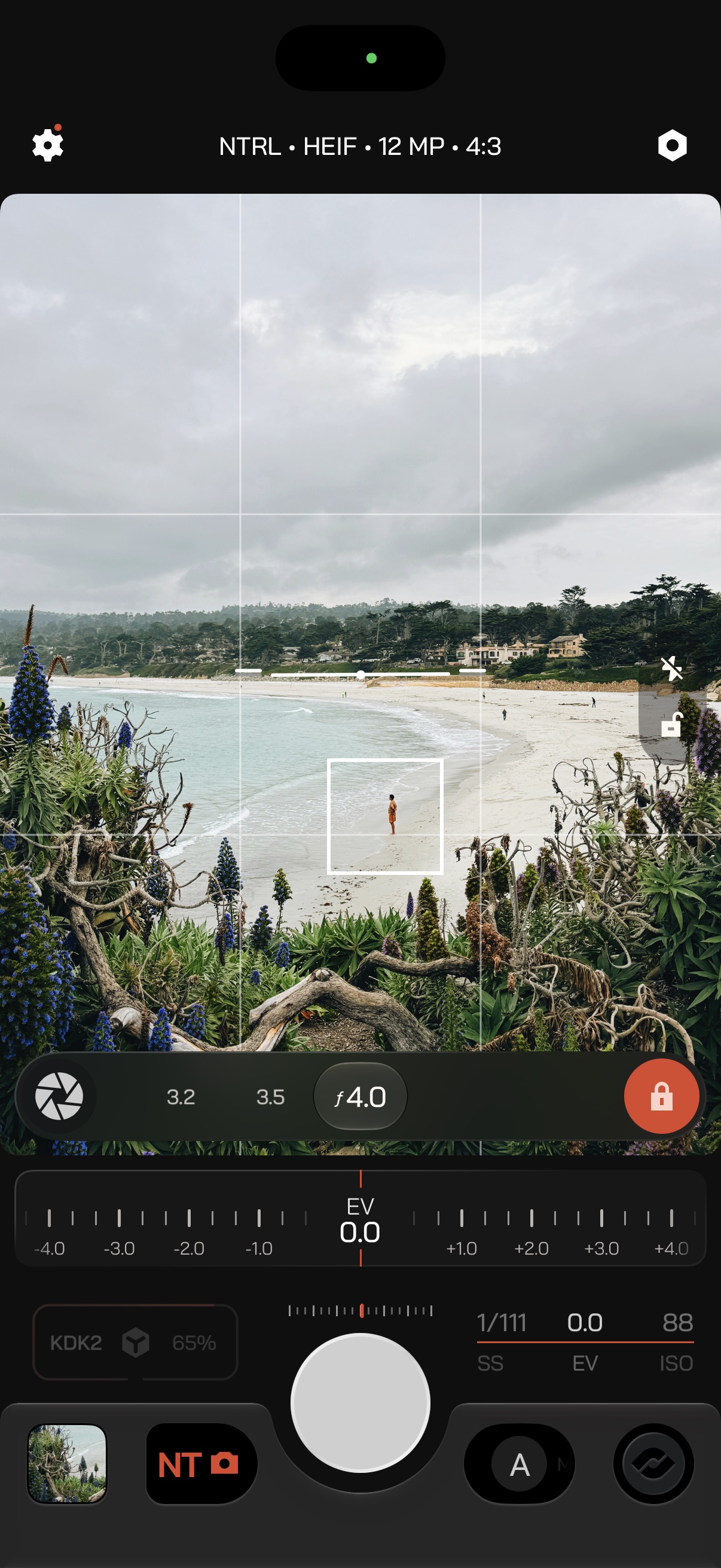
Tap Aperture above the active camera to open it.

Auto
The camera chooses the stop.
Manual
The lock on the right turns red. Set a stop from f/1.48, a wider opening with a softer background, to f/4.0, which holds more of the scene in focus.

Exposure priority

PriorityAperture
A · AutoAuto or Manual
M · ManualManual
S · ShutterAuto or Manual
I · ISOAuto only

Moment Lenses

Moment glass takes the phone further: wider, tighter, closer, or anamorphic.

Lens Bay

Add the lenses you own in the Moment Lens Bay. Tap one on or off to select or remove it, and assign a lens to a Profile so it is ready when you switch how you shoot.

What you get

  • Moment lens metadata on your images.
  • Anamorphic desqueeze in the viewfinder.

Tips

Tele
Turn on the Focus Loupe.
Macro
Turn on Focus Peaking.
Anamorphic
Pair it with a CineBloom filter.

Anamorphic settings

Squeeze ratio and the save toggles are covered in Anamorphic Lens Settings.

Learn more